GUIDE · VINTED
Vinted photos that sell.
Seven rules so your items stop getting lost in the feed. With before and after examples.
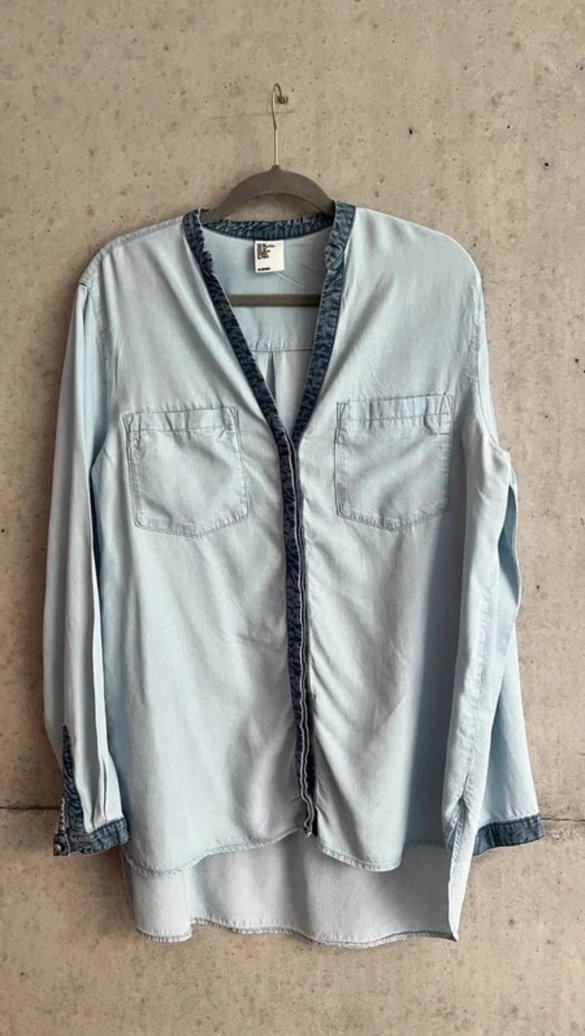
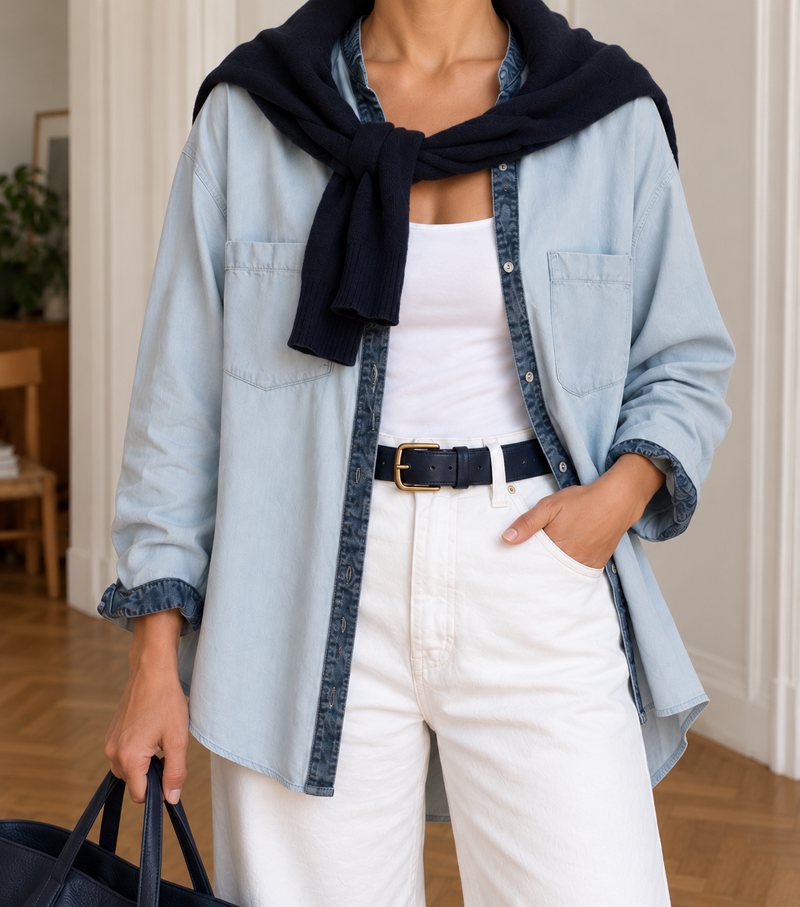 AI try-on image
In short
Vinted says in its photo tips that many informative photos help you sell more quickly. Our recommendation: the first photo shows the whole item clearly, in daylight and against a calm background, ideally as a labelled try-on image without you in the picture. Then come the back, the label and the details. A crumpled item on the bed as the cover photo makes even good pieces look cheap.
- First photo: the whole item
- Then back, label, details
- Daylight, calm wall
- 20
- photos per listing are possible on VintedVinted photo tips
- 5–8
- photos are enough for most itemsOur recommendation
- 1st
- photo: the whole item, no collageVinted photo tips
How do you take Vinted photos that sell?
Show how it fits.
On a body you see the cut, length and drape; on a hanger you mostly see the fabric. You don't need to be in the picture for that, and Vinted's photo tips even advise against it: a labelled AI try-on image, a dress form or another person without their face shows the fit.
Daylight, not flash.
Stand by a window, with the light coming from the front or the side. Flash flattens colours and makes fabric shiny.
Calm background.
A white wall, a door, a curtain. No pile of laundry, no unmade bed.
Back and side.
Buyers want to know what the back looks like. Two more photos, far fewer questions.
Label and material.
A sharp photo of the label answers brand, size and material in one go.
Show flaws honestly.
A small stain in a photo is better than a return and a bad review.
Best photo first.
In the feed, the first photo is what people see. Vinted's photo tips advise showing the whole item in it, without a collage. Our recommendation: the generated front view first, your real photos right behind it.
Where are Vinted's own photo guidelines?
Read them yourself, they're short: the photo tips, the help page How to take photos of branded items with its own order for branded goods, and the Catalogue Rules, section 2 “Requirements for the item’s photos”. We don't repeat or interpret the rules.
Frequently asked questions
How many photos can I upload on Vinted?
Up to 20 per listing, according to Vinted's photo tips. Our recommendation: 5 to 8 are enough for most items, the generated front view, then front, side, back, label and details of the real item.
Can I use AI try-on images on Vinted?
Vinted told the German magazine Öko-Test that AI is not banned per se, as long as the item is represented accurately. Our recommendation: always show real photos as well and label the AI image.
Which photo should come first?
The whole item, well lit, with sleeves, hem and neckline in the frame. Our recommendation: the generated front view first, your real photos right behind it.
Portrait or landscape?
Our recommendation: portrait. Clothes are usually taller than they are wide, so the item fills the frame.